 EMC WhatsApp
Your WhatsApp conversations.
Inside your CRM.
Keep your team’s corporate conversations close to the customer record. Read and reply from contact and deal tabs in Bitrix24, with access assigned to each connection.
Corporate WhatsApp numbers · Bitrix24 cloud · English interface
Open the record.
Find the conversation.
Use the EMC WhatsApp tab in a contact or deal. Customer telephone numbers are matched through your own CRM access, so relevant conversations are available where you work.
- Current
- Conversations matching the contact’s numbers, or the contacts linked to the deal, across the corporate connections you can access.
- All
- All conversations from your permitted connections, including chats without a matching CRM contact. Your access limits still apply.
- Employee filters
- Narrow the list by Phone user and Superviser user using Bitrix24’s native employee picker.
Inside your Bitrix24 workspace.
Open EMC WhatsApp from a customer record. The screens below use fictional property enquiries in an isolated demonstration portal.
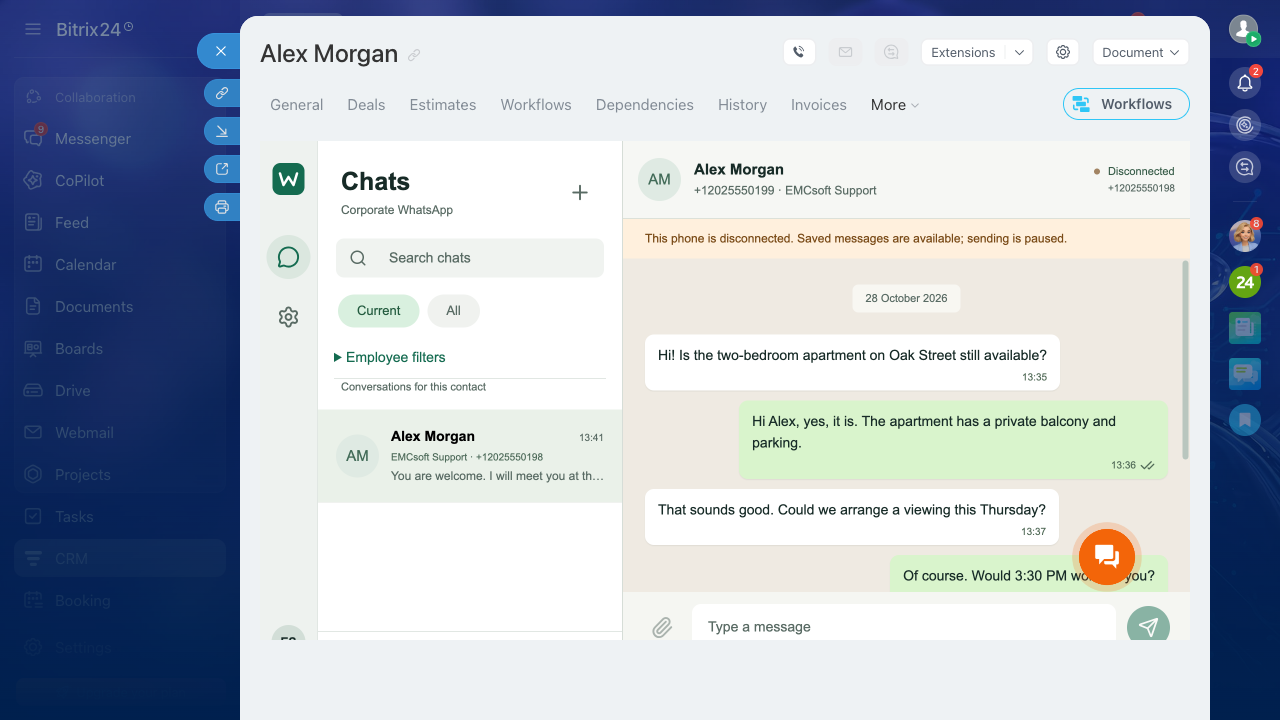
From company phone to CRM.
- Install in your portal
A Bitrix24 administrator installs EMC WhatsApp, provides installation contacts and accepts the EULA. Contact and deal tabs are registered automatically.
- Pair a corporate phone
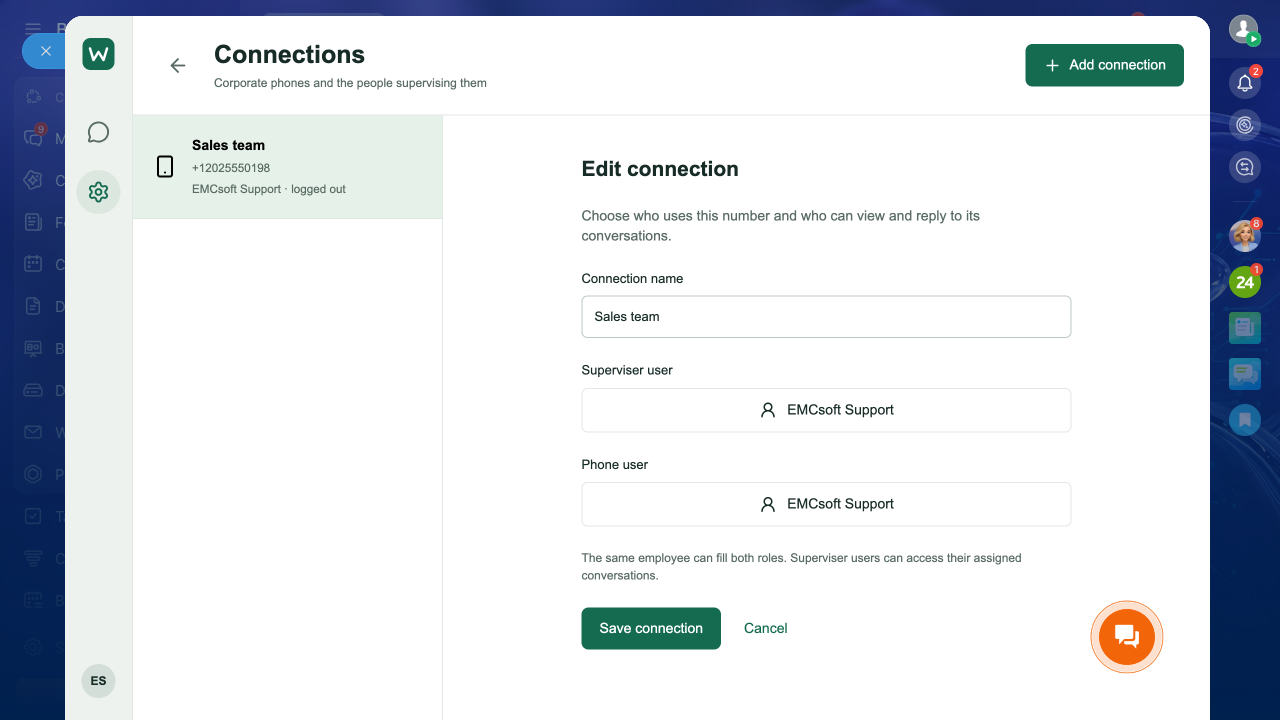
Create a named connection, select the Phone user and Superviser user, then scan its QR code from WhatsApp’s Linked devices screen on the authorised phone.
- Read and reply in context
Open a contact or deal tab, choose an available conversation and reply from its corporate number. The sending connection remains visible.
Files and replies.
One familiar workspace.
Keep the details alongside the conversation. View available attachments and send a supported file from the CRM tab.
- Text and attachments
- Images, video, audio and PDF files. One attachment per send, up to 20 MB. Audio captions are sent as a separate text message.
- Assigned access
- Administrators manage connections. Supervisers work with their assigned conversations. The Phone user assignment alone does not grant chat access.
- Connection control
- Administrators can reconnect a phone or delete a connection and its stored chats and files. Messages on the phone are not deleted.
The right people.
The right conversations.
Choose the employee using a phone and the superviser who can access its conversations. Assignments use Bitrix24’s employee selector.
Administrators manage all connections in their own portal. A Phone user assignment alone does not grant access.
Before you connect
Is this the official WhatsApp Business Platform?
No. EMC WhatsApp is an independent EMCsoft application using the WhatsApp Web protocol through Baileys. It connects as a linked device by QR code. It is not endorsed by WhatsApp or Meta; account restrictions and protocol changes can affect availability.
Will all my old messages and files appear?
Only history and media made available by WhatsApp can be synchronised. Full historical coverage is not guaranteed, and older files may be unavailable. A connected phone is required for ongoing synchronisation and sending.
Can I start a conversation with a new number?
Start that conversation on the linked phone first. The current application works with synchronised conversations; it does not provide a new-chat-by-number screen, voice recording, calling or bulk campaigns.
Which telephone format should I use in CRM?
Store numbers with their international country code. Current matches direct conversations by these numbers. Group membership does not automatically associate a group chat with a contact.
What happens when a phone disconnects?
Stored conversations remain available to permitted users, while sending pauses. An administrator can check the connection and request a new QR code if re-pairing is needed.
How do I get access?
The Market listing is being prepared. Contact EMCsoft for review access and current availability. Installation requires a Bitrix24 plan with the necessary REST and application capabilities.
Bring customer context
to the conversation.
Connect corporate numbers. Assign your team. Work from the CRM record.
Open the setup guide